
Call The Shots From One Mic
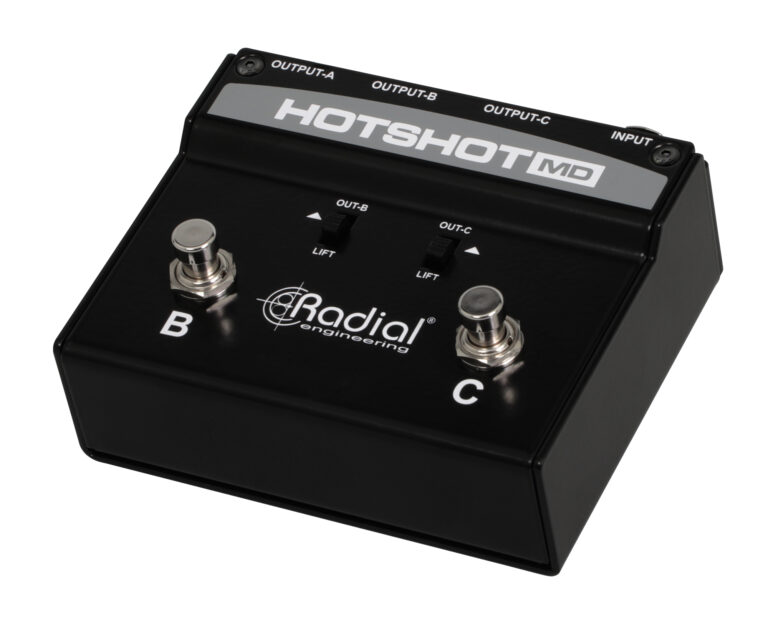
The Radial HotShot MD gives music directors and artists easy and discreet control over their microphone outputs to enable seamless transitions between singing, cueing the band, and coordinating with techs and engineers—all without disrupting the audience experience. Engineered with Radial’s signature road-ready construction and noise-free switching, the HotShot MD streamlines communication, boosts efficiency, and enables bandleaders to focus on delivering flawless performances.
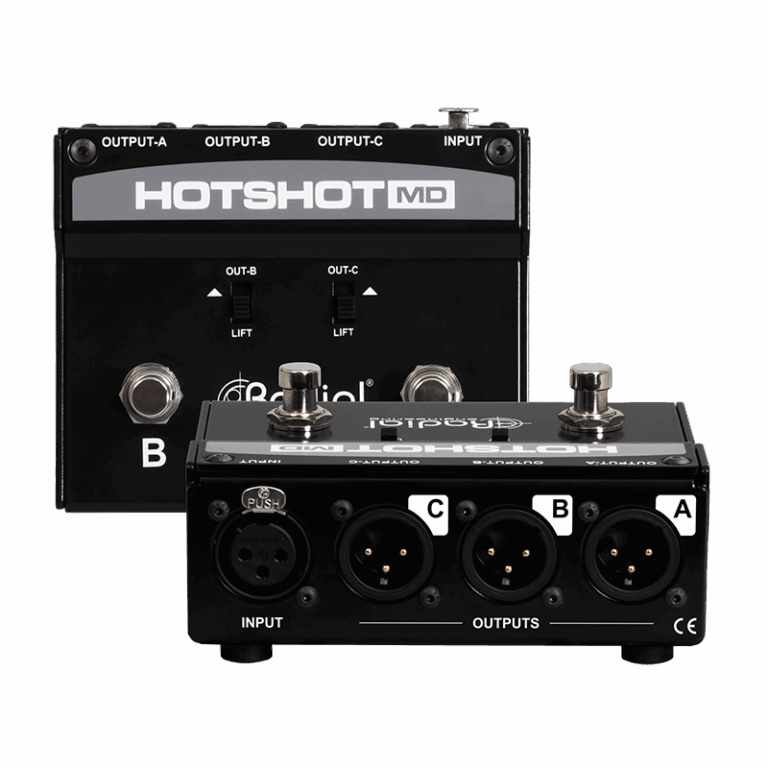
- Redirects mic signal to communicate with techs, band members, or both
- Noise-free switching for a seamless stage performance
- Pristine signal path preserves the sound quality of the vocal mic
- 100% passive design does not require external power to operate
3 Channels of Discreet Onstage Communication
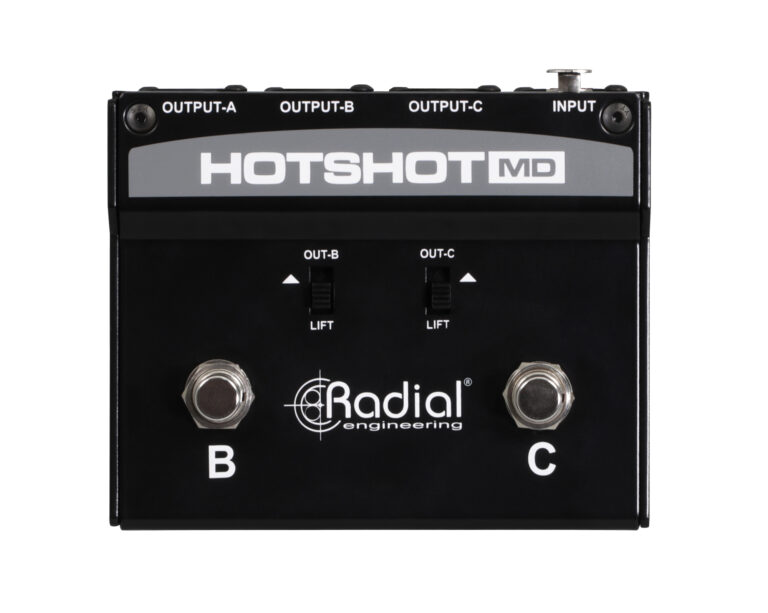
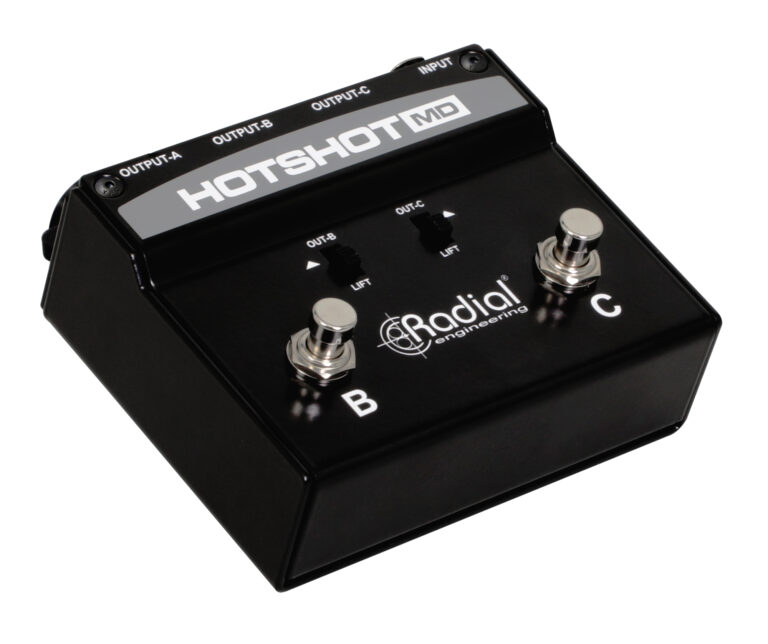
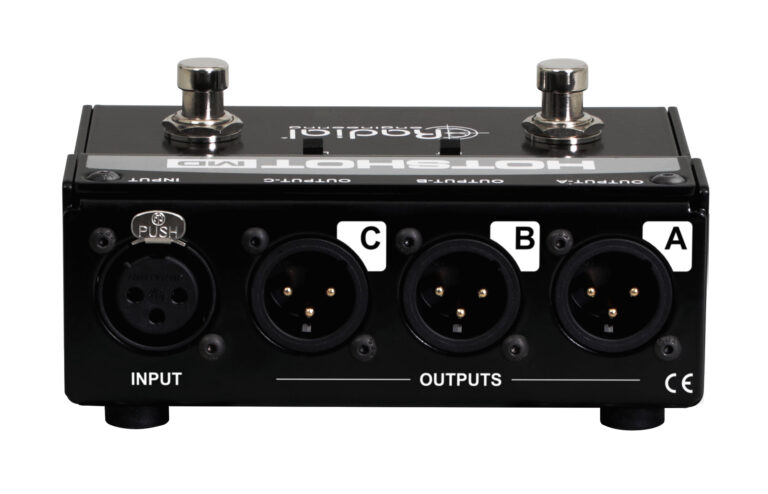
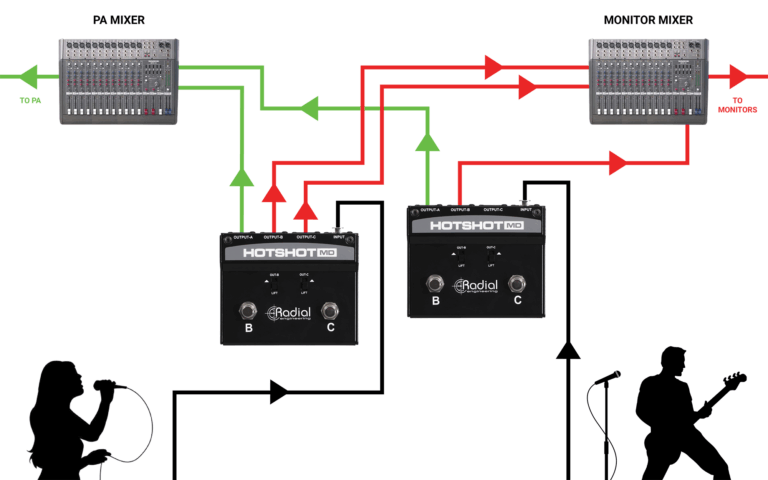
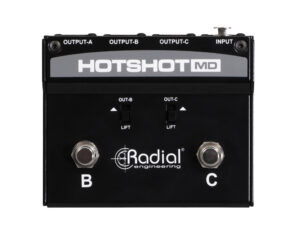
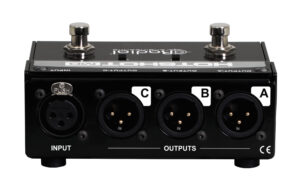
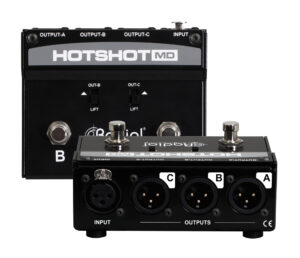
A noise-free solution for momentarily rerouting a dynamic microphone on stage, the HotShot MD allows signal to pass through Output-A when no footswitches are depressed, so your vocal mic feeds the PA system normally. If either the B or C footswitches are engaged singly, Output-A will be muted, and signal will be diverted to Output-B or Output-C, depending on which footswitch is depressed. This allows you to instantly reroute your mic to speak with band members or technicians as needed without the audience hearing a thing. Both footswitches can also be engaged simultaneously, so you can communicate with all parties at once. The moment you release either footswitch, your vocal mic automatically redirects back to the PA system so the performance can continue.
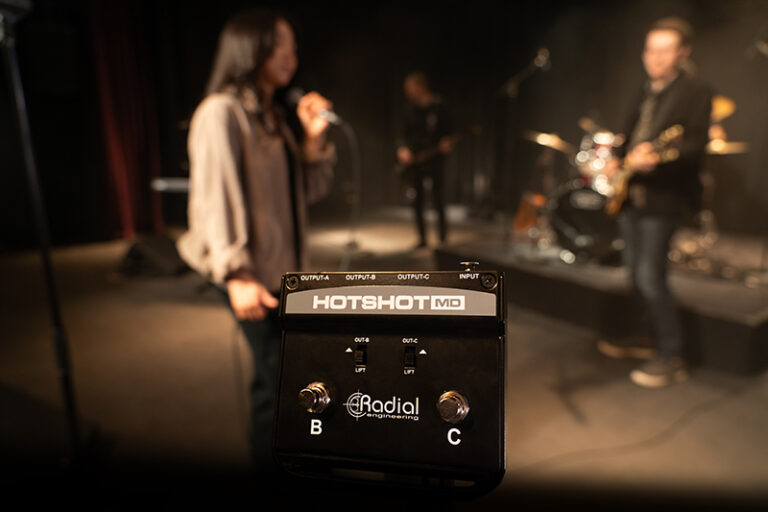
HotShot MD Applications
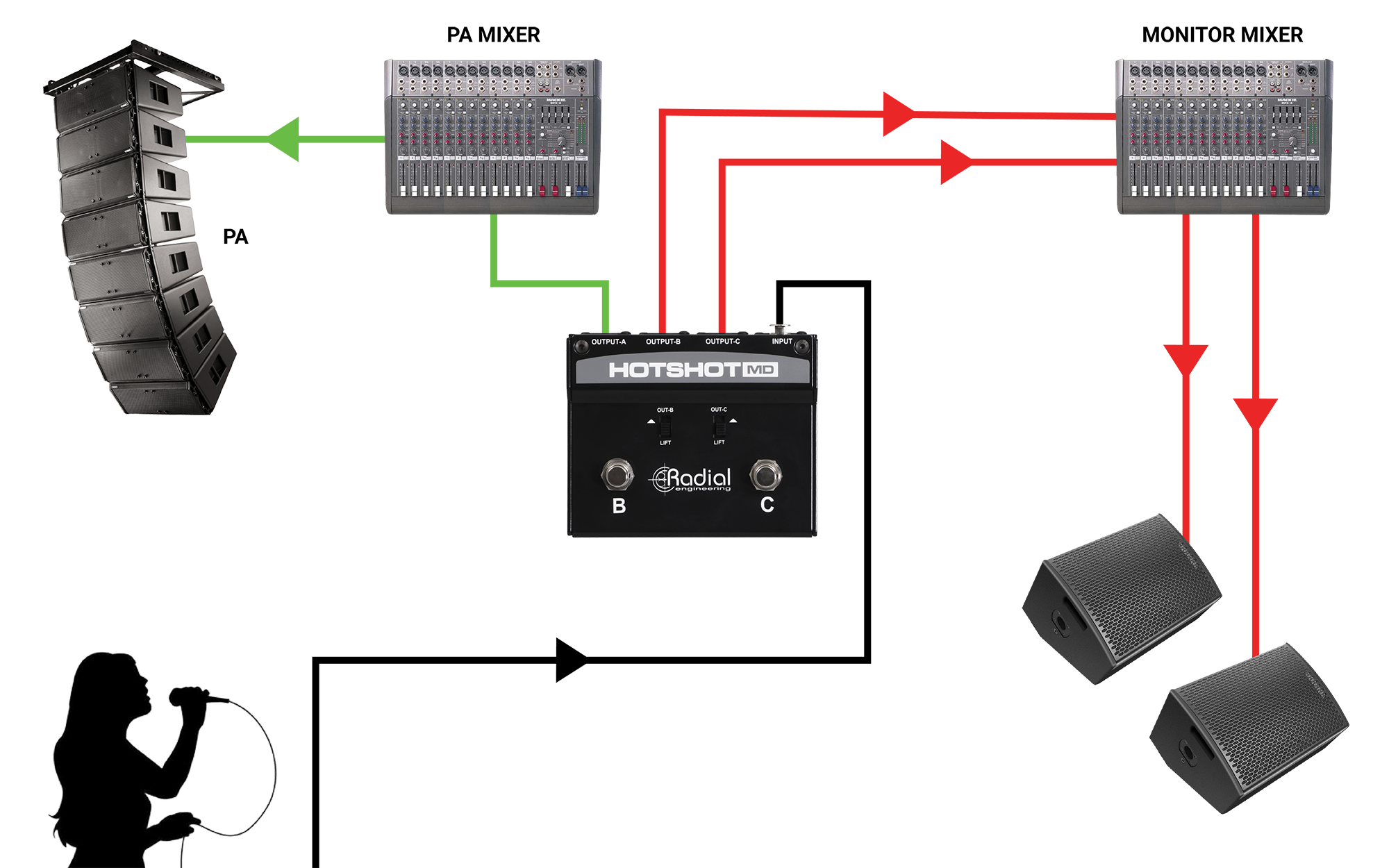
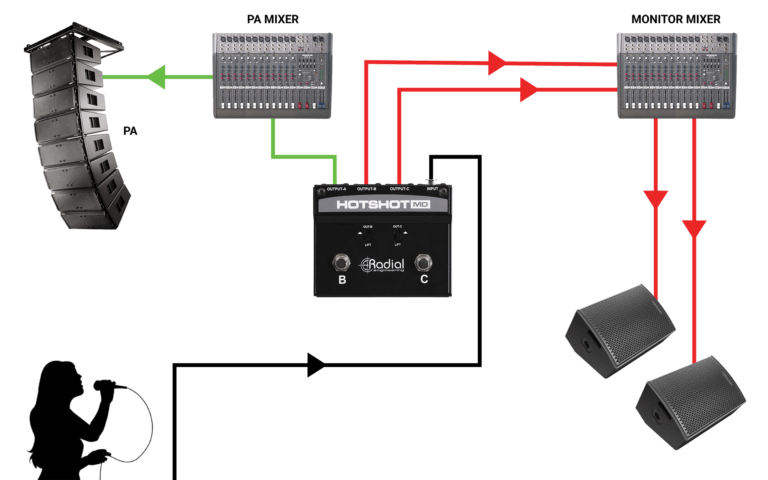
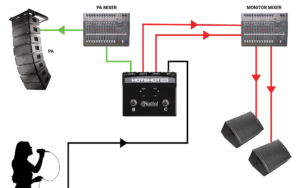
Using MD for silent communication on stage
Plug your mic into the HotShot MD and connect output-A to the PA system. Plug outputs B and C to separate channels on the monitor desk. When you press & hold footswitch B, C, or both simultaneously, the PA system output is muted, and the signal goes to the band, tech team, or both, respectively.
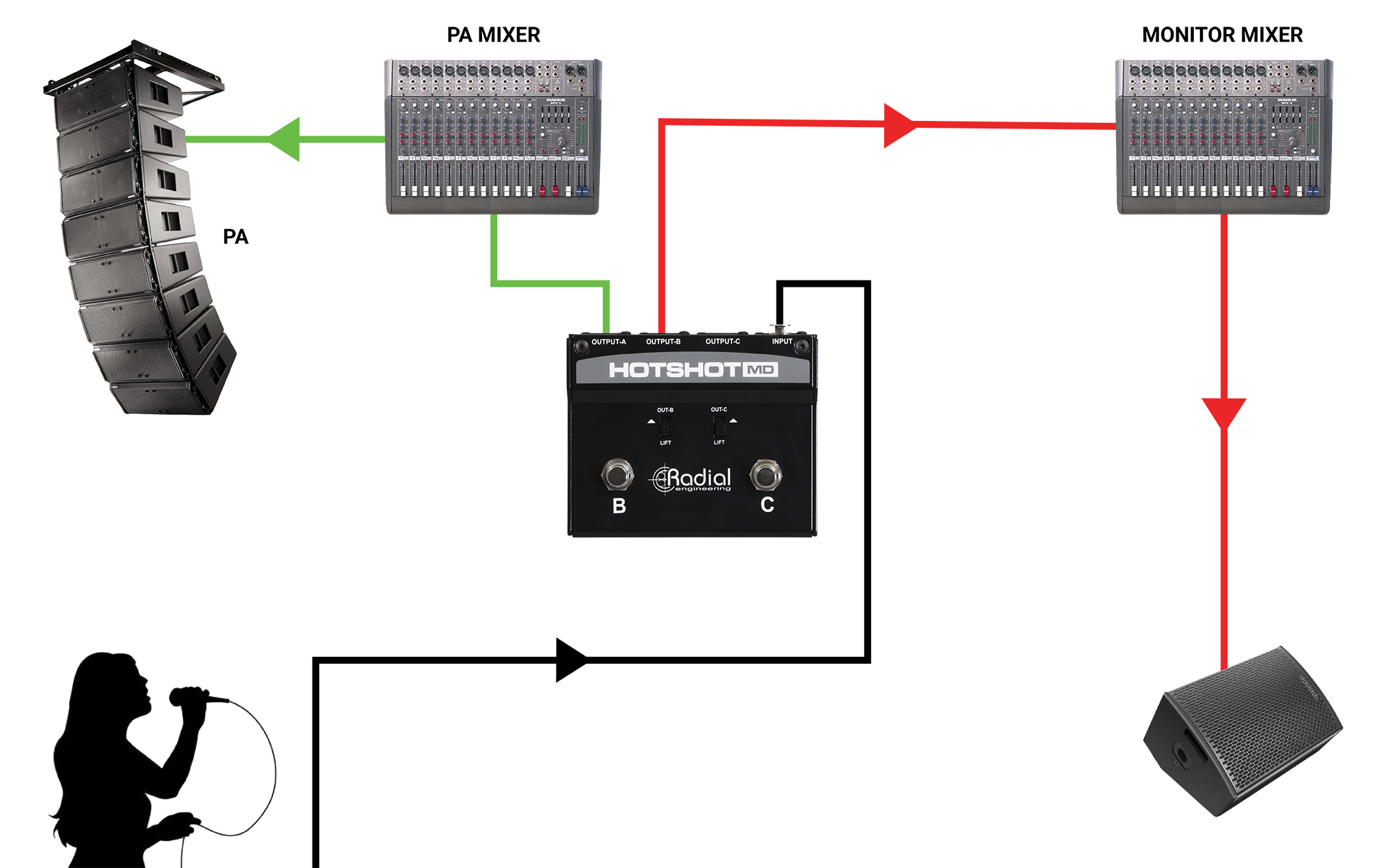
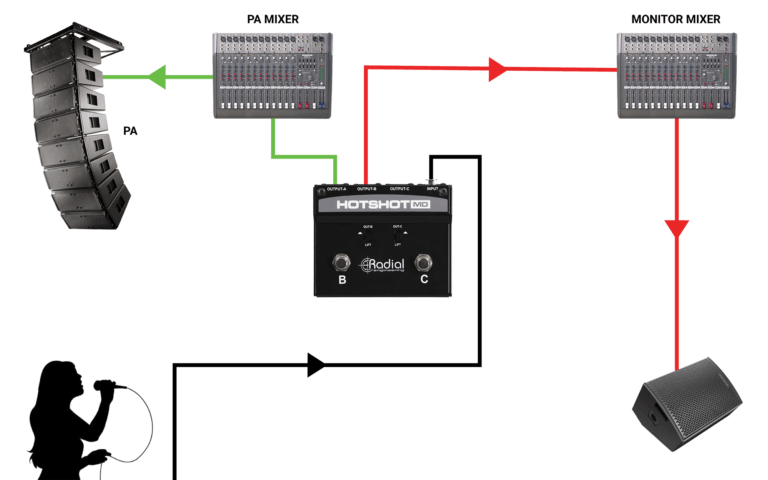
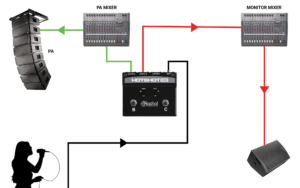
Using the MD as a cough mute
Sometimes, you just have to cough. Connect your mic to the HotShot MD input, Output-A to the audio system, Output B to the monitor console for band communication, and leave Output-C disconnected. When the urge to cough or the need to mute the system occurs, simply depress and hold footswitch C. Let go to revert to normal operation.
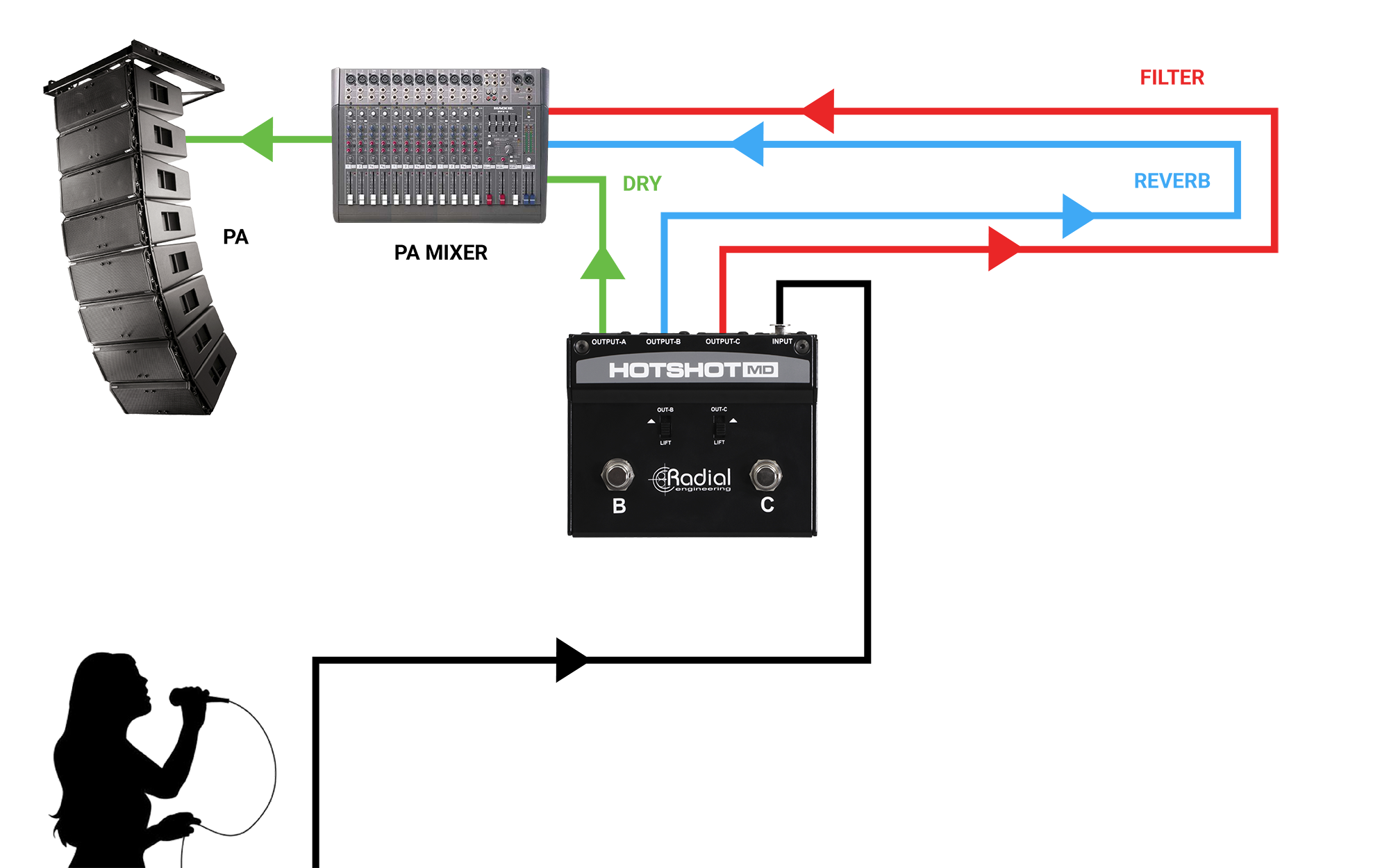
Using the MD to add effects
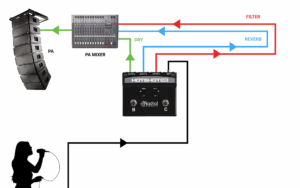
Like the HotShot DM-1, the HotShot MD is a great way to add effects to your vocal. However, the HotShot MD allows you to apply two separate channels of effects and combine them as desired. Channels B and C can be set to trigger effects such as echo and delay, respectively. Just hold the corresponding foot switch down to engage an effect or both footswitches to use the effects in tandem. Simply release the switch to go back to normal.
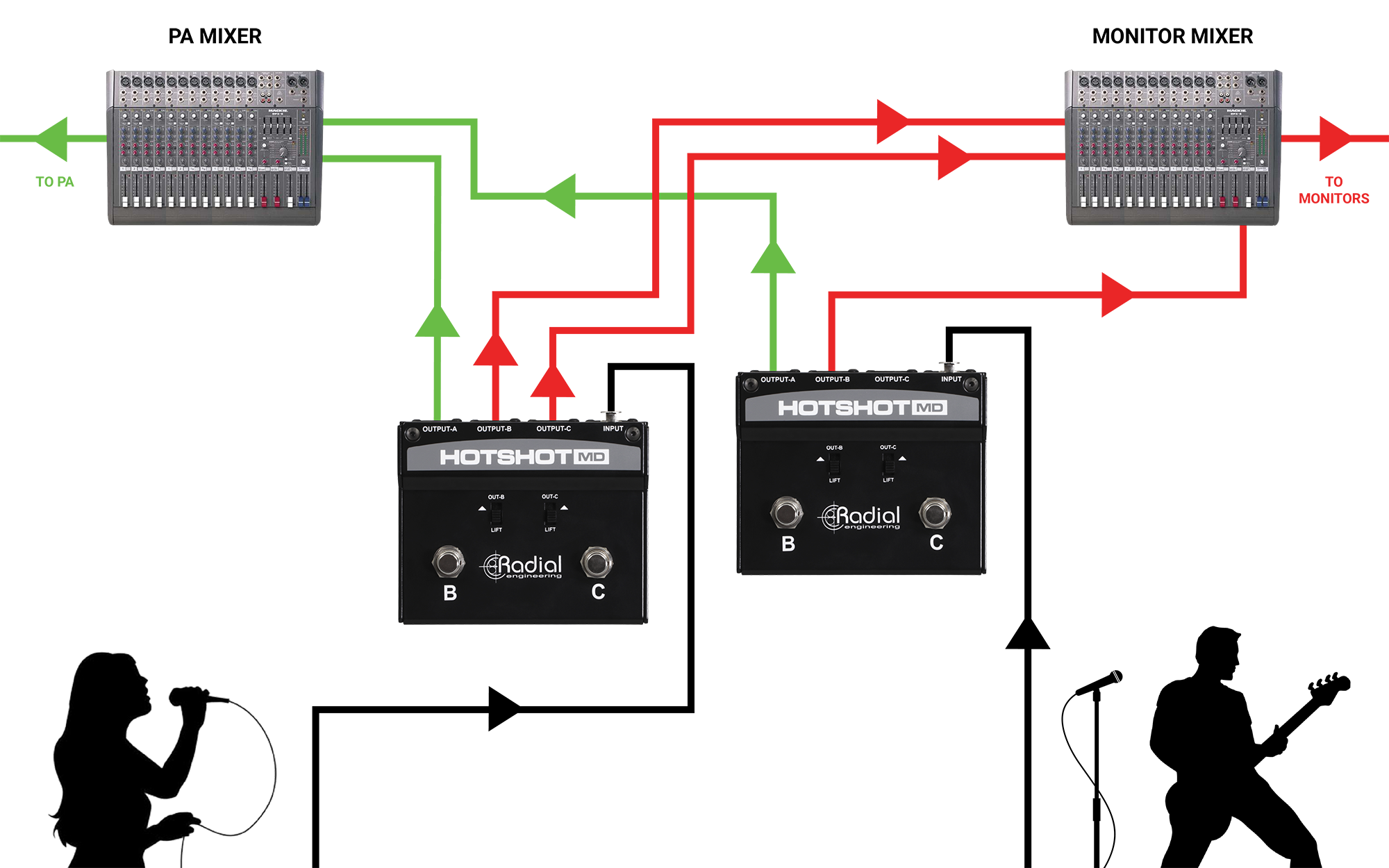
Deploying multiple MDs for increased flexibility/as additional comms
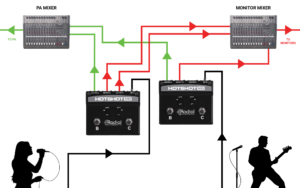
Need to add technicians and other players to the conversation? For two-way communication with multiple people in a production situation, deploying additional HotShot MDs increases the ability of musicians, techs, and engineers to communicate clearly, respond to direction, and troubleshoot more effectively.
Artists
Related Products


{{ postData.post_title }}
{{ postData.productSubTitle }}
Part no: {{ postData.partNo }}
Part no: View Product
{{ postData.post_excerpt }}
View Product